Have you claimed this critical piece of online real estate?
So, you’ve got your personal URL (you have got your personal URL, right? Like my robcuesta.com domain – claim your own name if you haven’t!). You’ve got a Facebook page, and a Twitter account. You’re on Pinterest and Instagram.
But, have you set up your profile on AuthorCentral yet?
Not sure what I’m talking about? Click on your book on Amazon and look for your name. When you hover over it, if you see “Visit Amazon’s XXX page” then you have a profile on AuthorCentral. If you don’t see that, then you haven’t got a profile and you are missing major piece of your author platform strategy.
If you haven’t got your profile yet, go to authorcentral.amazon.com and sign up before going any further.
Strengthening your AuthorCentral profile
Take a look at my page at https://www.amazon.com/Rob-Cuesta/e/B005LYRSYQ/.
I know this is a pretty good profile because I actually found out a couple of years ago that a self-publishing instructor was using my profile as an example for their students!
Claim all your books
First, make sure that you’ve “claimed” all your books. If you haven’t, then at the top of the AuthorCentral page, look for ‘Books’ on the menu. On the next page you’ll see a button labelled “Add more books” where you can tell Amazon all the books that are yours.
Headshot
For the main shot, use a professional photo. Please don’t use a drunken selfie! If you haven’t got any professional headshots, find a local photographer on Groupon if you have to, but get a studio shot.
Back on the ‘Author Page’ tab of AuthorCentral, find the Photos area on the right and add your photos. Add any other photos you want to, by all means, but at the end click ‘manage’ and rearrange them so that your headshot is the first photo (top left).
Biography
Look at my bio.
First, do I start by telling people what a great person I am? No. I tell the reader to ‘Follow’ me: “Want to be the first to hear about my next book? CLICK THE ‘FOLLOW’ BUTTON ABOVE.” This seemingly minor point is actually critical. You want to get people to follow you for two reasons. First, Amazon is watching, and they notice if you are attracting followers. Amazon wants to sell books, so if it sees that an author is popular, they will advertise books by that author. Second, it gives you another way to communicate directly with your readers. When they follow you, they’ll get updates any time you update your profile, for example by adding a book.
Second, immediately after the instruction to follow me, I have a call to action that takes the reader to one of my lead capture pages. Now, Amazon won’t allow links, so you have to tell the reader what to do, but it’s better than no link at all!
Your blog
If you have a blog, you can add the RSS feed to your profile and, every time you add a post, it will be shown on your profile and–guess what–your followers will get a notification!
Videos
People love video, so add your book trailer if you have one. If you don’t, record a video of you introducing your book and add it here!
Events
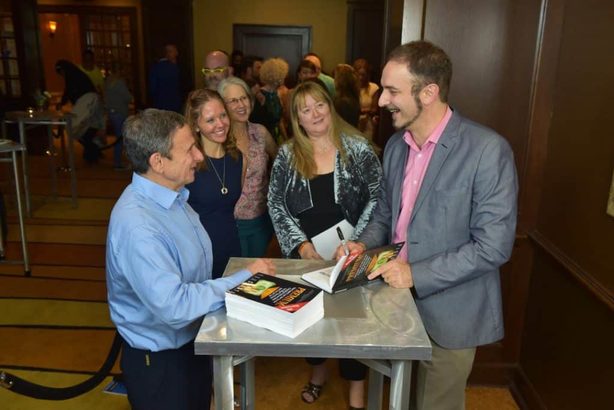
OK, this is the aspect of my profile that I’m really terrible at, but if you have a book signing or a talk coming up, add it here. Why? Because Amazon will tell all your followers and some of them might want to turn up!
Go Global
One of the quirks of Amazon is that each country maintains its own version of AuthorCentral (which makes sense when you remember that each site is in a different language!). So, you'll need to repeat the process for the main markets you sell in. As for translating your profile, only do this if local language versions of your book are available, otherwise keep the text in the language you write in.
Setting up your AuthorCentral profile is a really quick task, but it's also a quick win and makes your books look much more professional. That's why we always set up accounts for our clients.
Free Writing and Self-Publishing Guide

Free Video Training

Free Business Growth Guide

Schedule a Free Consultation